How do I add multiple piece views?
Additional views of the same piece can be helpful if you have a 3D work, a sculpture, or just a painting that you want to show a different angle or lighting view of. Additional views are not the same thing as additional pieces - they just the same piece, shown differently. If you have 1 sculpture and upload a main image and 2 additional views, that is 1 "Piece" and 3 "Views".
For artists:
Multiple piece views will only show up if the call settings enable it. If they are enabled, you will see this prompt at the bottom of the screen when you're uploading your art during a call application:
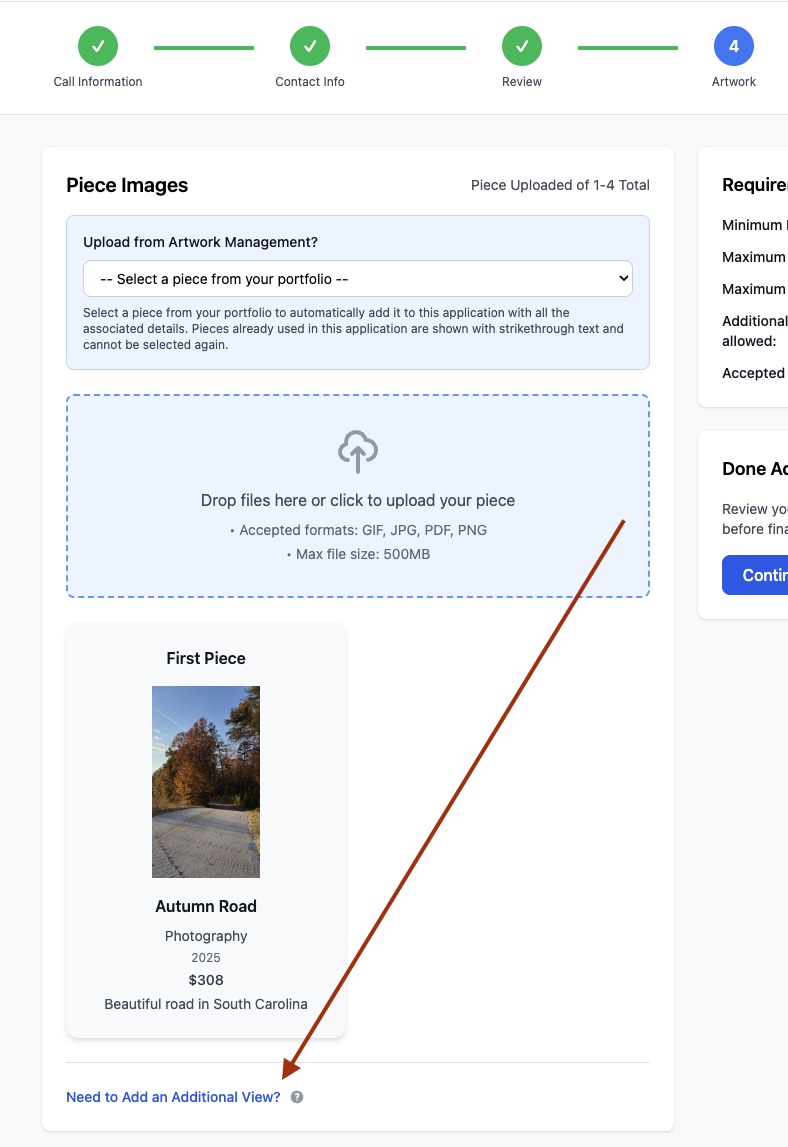
When you click on the link, you'll get a prompt for which piece you actually want to add an additional view for.

When you select the piece and upload your art, the page will refresh. You'll see the option to scroll through your views as confirmation it worked!

For galleries and administrators:
Simply enable multiple piece views in the Settings page of the call in question.