I need to edit my entry after it has been submitted
Some organizations permit you to edit your entry after submitting but before the deadline for entries has passed. If they enable this, you can edit your entry by doing the following:
- Login via app.entrythingy.com
- Navigate to your entry in question (either from the right side of the Dashboard, or by clicking "My Applications" in the header, finding the entry you have in mind, and clicking Entry Details)
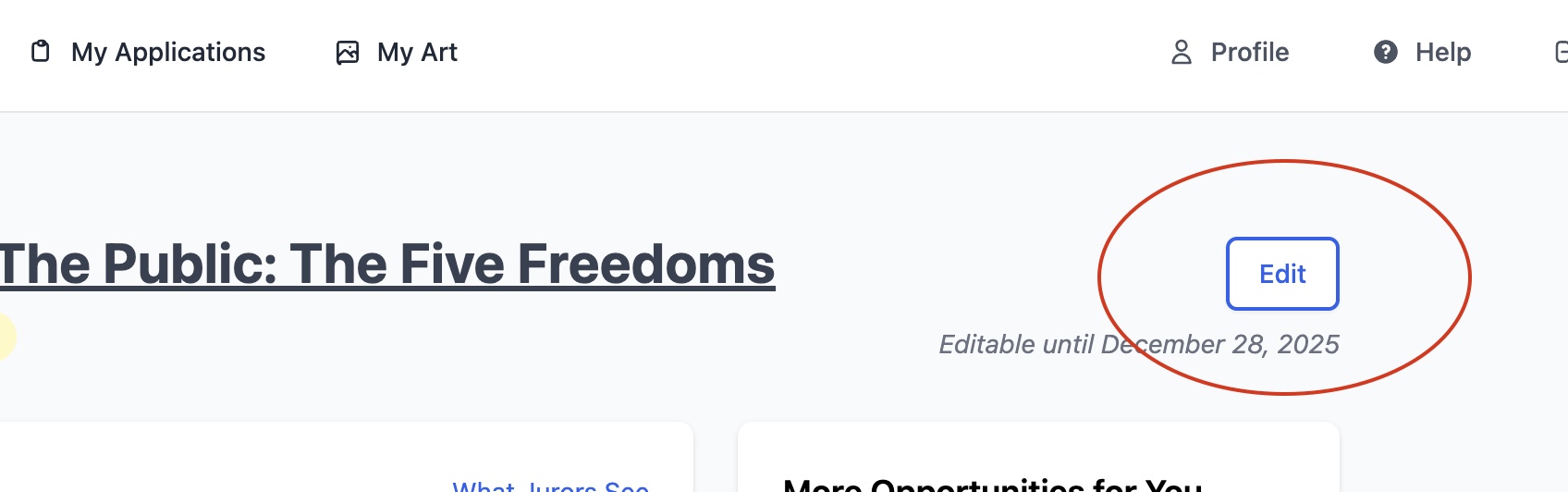
- If the deadline has not passed and the organization allows, in the top right corner of the screen will be an "Edit" button. You'll be able to make changes to your entry:
- Just be sure to click Save after making any changes!
If the call does not allow for editing or the deadline has passed, please contact the organization hosting the call and ask them nicely to make the change for you!
Alternatively, they can sometimes set your entry back to "Not Submitted". You will then be able to edit your entry.
Once you have paid and Submitted, please do not email EntryThingy to ask us to change the status. Due the number of calls we have, we can't create issues for our galleries and call administrators by interfering with their call submissions.